
Call of Duty: Vanguard
Sledgehammer Games
Mar 8, 2023
20 Jan, 2026
80.1 GB
v1.26

Related apps




Description
Call of Duty: Vanguard PC brings the iconic first-person shooter franchise back to World War II, delivering an intense multiplayer experience, cinematic campaign, and cooperative Zombies mode. Developed by Sledgehammer Games and released in November 2021, Vanguard offers PC gamers enhanced graphics, cross-platform play, and fast-paced combat across multiple theaters of war. Whether you’re a competitive multiplayer enthusiast or a campaign completionist, this comprehensive guide covers everything about Call of Duty: Vanguard on PC, from gameplay mechanics to performance optimization.
Overview of Call of Duty: Vanguard PC
Call of Duty: Vanguard represents Activision’s return to the World War II era, following the success of Call of Duty: WWII in 2017. Built on the modified IW 8.0 engine—the same technology powering Modern Warfare (2019) and Warzone—Vanguard PC delivers stunning visuals, realistic weapon mechanics, and destructible environments that elevate the traditional Call of Duty experience.
The PC version stands out with native support for ultrawide monitors, uncapped frame rates, advanced graphics settings, and NVIDIA DLSS technology. Players can experience battles across the Eastern and Western Fronts, the Pacific Theater, and North Africa, all while enjoying the precision and customization options that PC gaming provides.
What Makes Call of Duty: Vanguard PC Special?
The PC platform offers distinct advantages for Vanguard players. High refresh rate support ensures buttery-smooth gameplay at 144Hz, 240Hz, or even higher, giving competitive players a significant edge. FOV (field of view) customization allows for broader peripheral vision, critical in fast-paced multiplayer matches. Additionally, keyboard and mouse controls provide pinpoint accuracy that console controllers struggle to match.
Cross-play functionality means PC players can team up with friends on PlayStation and Xbox, expanding the player pool and reducing matchmaking times. The Battle.net integration ensures secure authentication, easy friend management, and seamless updates.
Gameplay Mechanics and Combat Experience
Call of Duty: Vanguard PC maintains the series’ signature tight, responsive controls while introducing new mechanics that enhance tactical depth. The gameplay centers on three primary modes: Campaign, Multiplayer, and Zombies, each offering distinct experiences.
Multiplayer Combat on PC
The multiplayer component features 20 maps at launch, spanning diverse environments from the bombed-out streets of Berlin to the sun-drenched beaches of the Pacific. The Champion Hill mode introduces a tournament-style competition where eight teams battle for survival across multiple arenas, creating intense, high-stakes encounters.
Combat Pacing is a revolutionary feature that lets players choose their preferred match intensity:
- Tactical: Slower-paced, strategic gameplay with fewer players
- Assault: Balanced action for traditional Call of Duty fans
- Blitz: Chaotic, high-density combat with maximum players
The Gunsmith system returns with expanded customization, offering 10 attachment slots per weapon—the most in any Call of Duty title. PC players benefit from precise mouse control when fine-tuning weapon attachments, creating loadouts optimized for their playstyle.
Movement and Tactical Sprint
Vanguard introduces refined movement mechanics including tactical sprint, slide canceling, and destructible environments. PC players can bind complex movement combinations to mouse buttons or customizable keys, enabling advanced techniques like bunny hopping and drop-shotting with greater consistency than console counterparts.
The destruction system powered by the game engine allows players to blast through walls, creating new sight lines and flanking routes. This environmental interactivity adds strategic depth, especially in objective-based modes like Hardpoint and Domination.
Story and Campaign Mode
The Call of Duty: Vanguard campaign tells an original story centered on the formation of Special Forces during World War II. Players experience four distinct perspectives, each representing different theaters of war and combat specialties.
Main Characters and Narrative Structure
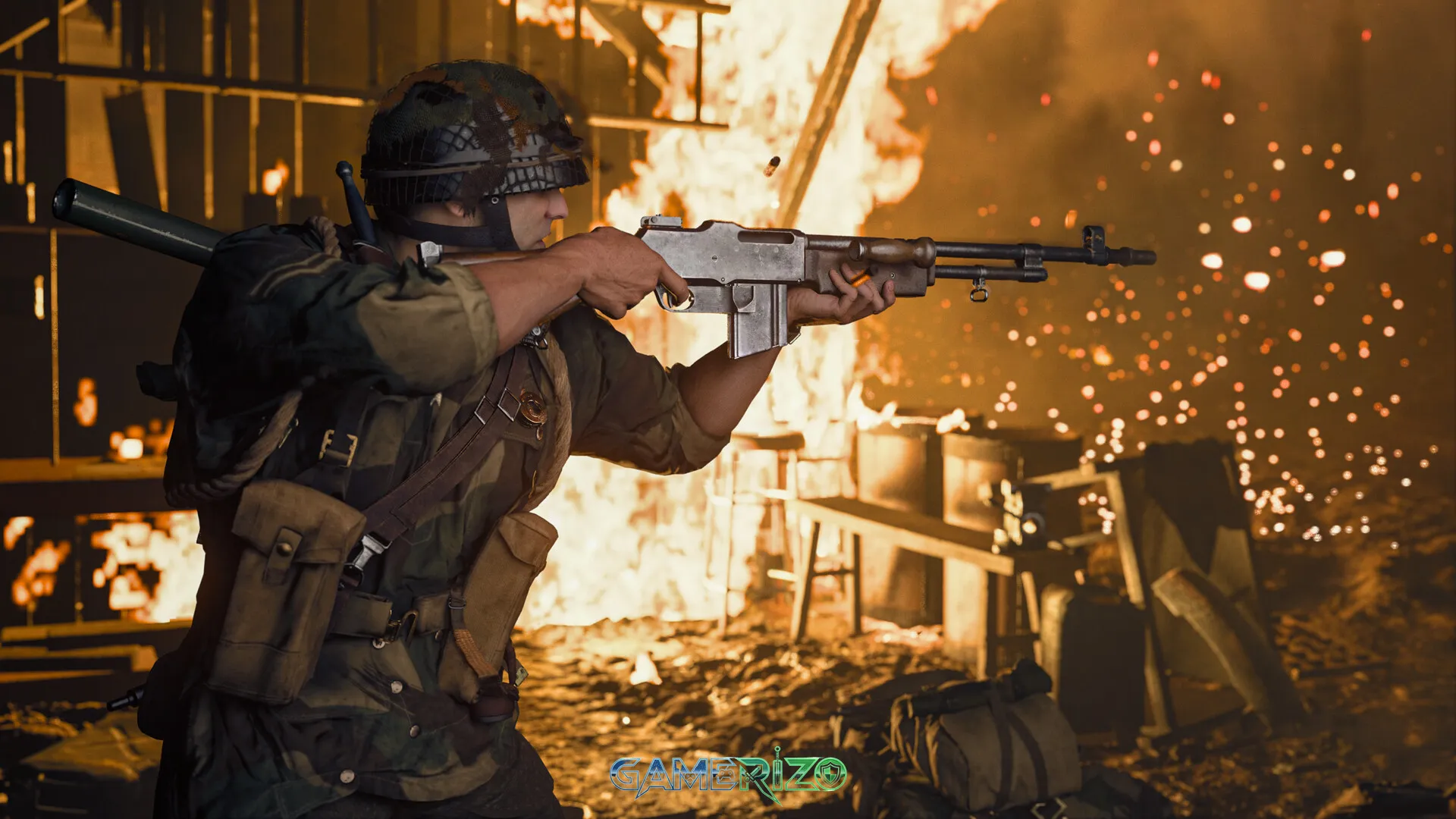
- Arthur Kingsley (British): A paratrooper leading missions across North Africa and Europe
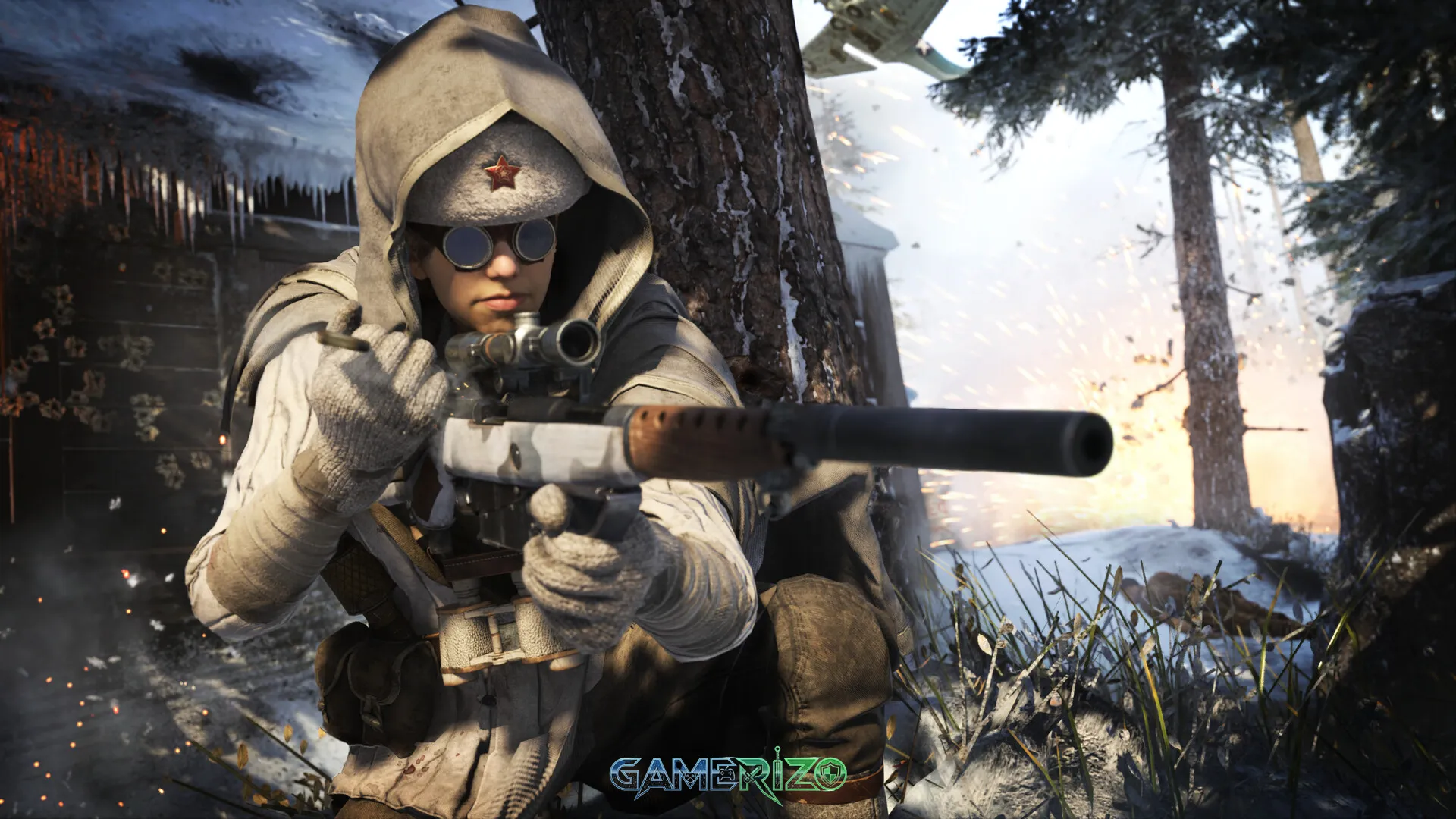
- Polina Petrova (Soviet): A sniper defending Stalingrad against German forces
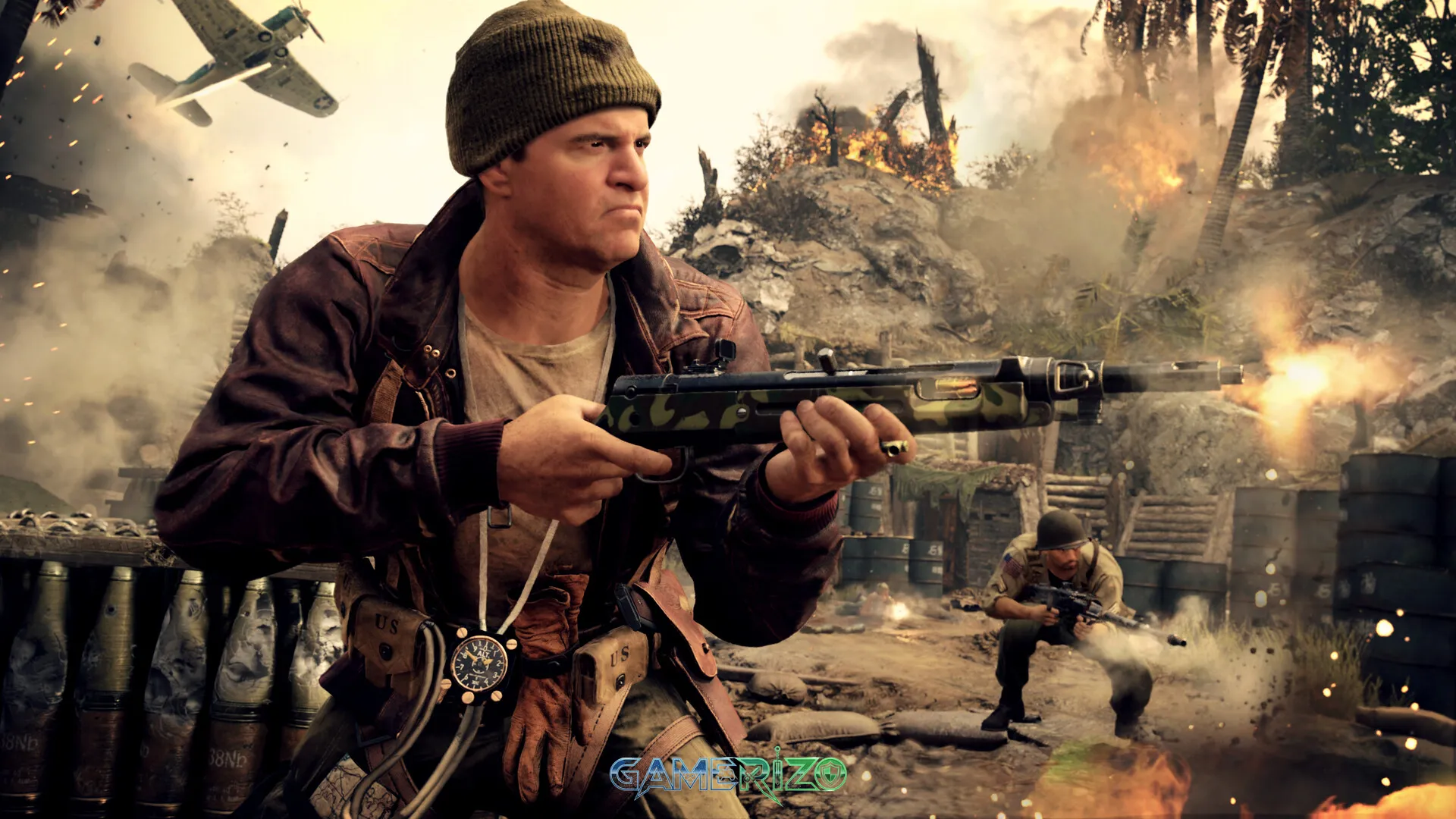
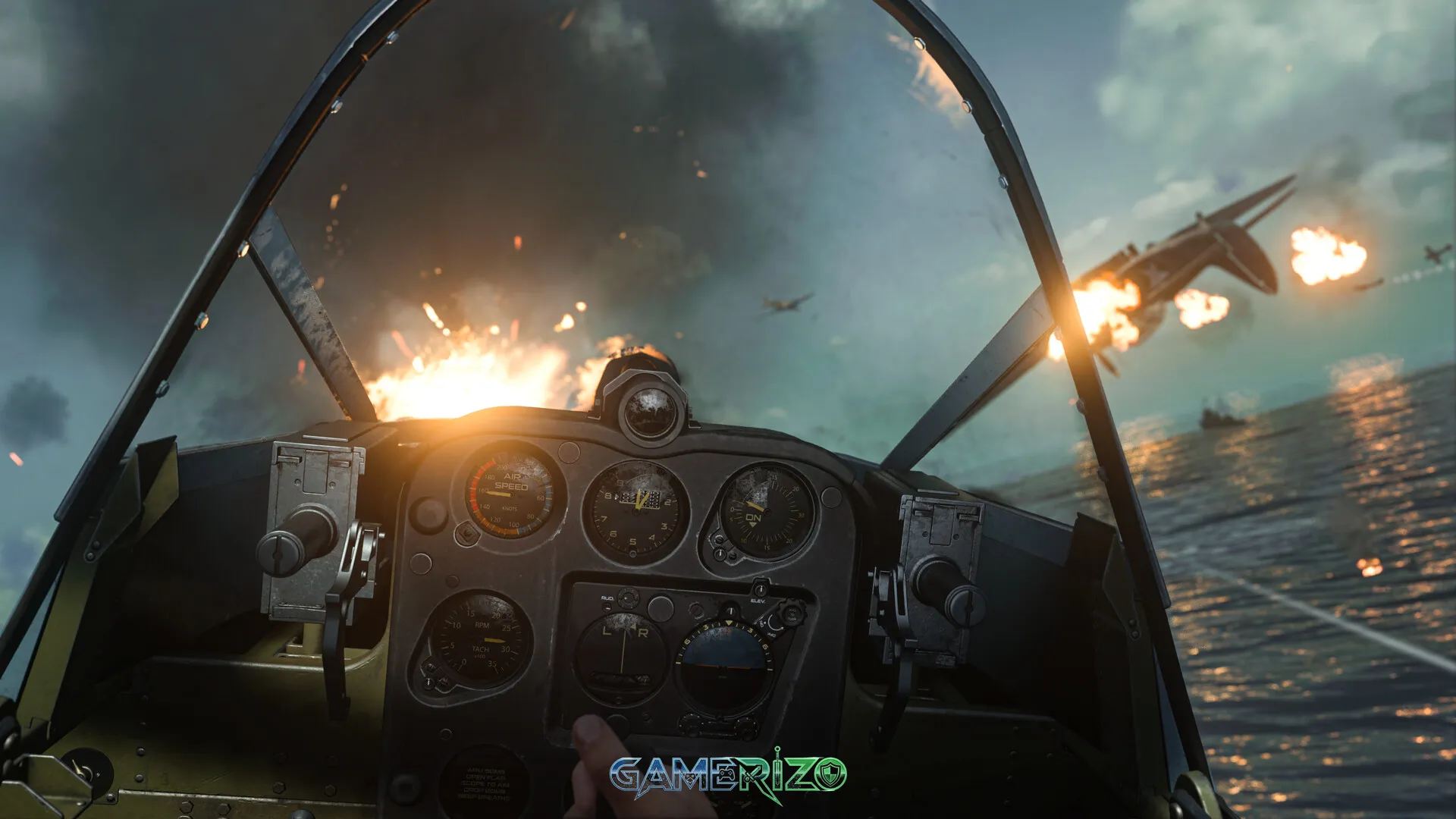
- Wade Jackson (American): A naval aviator fighting in the Pacific Theater
- Lucas Riggs (Australian): A demolitions expert operating behind enemy lines
The narrative weaves between these characters as they’re assembled into Task Force One, a prototype special operations unit hunting a secret Nazi project called Project Phoenix. While the story takes creative liberties with historical accuracy, it delivers cinematic set pieces and emotional moments that showcase each character’s unique perspective on the war.
The campaign runs approximately 6-8 hours, featuring varied mission design from stealth infiltrations to large-scale battles. PC players enjoy enhanced visual fidelity with ray-traced reflections, shadows, and ambient occlusion, making the campaign’s cinematic moments even more immersive.
Key Features of Call of Duty: Vanguard PC
Call of Duty: Vanguard PC packs numerous features that cater to both casual and competitive players:
Graphics and Performance Options
- NVIDIA DLSS Support: AI-powered upscaling for higher frame rates without sacrificing visual quality
- Ray Tracing: Realistic lighting, shadows, and reflections for stunning visuals
- Uncapped Frame Rates: Play at 144fps, 240fps, or beyond depending on hardware
- Ultrawide Monitor Support: Native 21:9 and 32:9 aspect ratio compatibility
- Advanced Graphics Settings: Granular control over texture quality, anti-aliasing, shadows, and effects
Cross-Platform Integration
- Cross-Play: Play with friends across PC, PlayStation, and Xbox platforms
- Cross-Progression: Unified progression system across all platforms
- Warzone Integration: Vanguard weapons and operators available in Warzone Pacific
Multiplayer Modes and Content
| Mode | Description | Players |
|---|---|---|
| Team Deathmatch | Classic elimination match | 6v6 – 14v14 |
| Domination | Capture and hold objectives | 6v6 – 14v14 |
| Hardpoint | Rotating objective control | 6v6 – 10v10 |
| Search & Destroy | Elimination with no respawns | 6v6 |
| Champion Hill | Tournament bracket competition | 2v2 or 3v3 |
| Patrol | Moving objective zone | 6v6 – 10v10 |
Zombies Mode – Der Anfang
Developed by Treyarch, the Zombies mode in Vanguard introduces objective-based gameplay rather than traditional round-based survival. Players battle undead forces across multiple maps called “objectives,” collecting artifacts and upgrading weapons through a new progression system.
The Dark Aether storyline continues from Black Ops Cold War, featuring new enemies, wonder weapons, and occult elements tied to the main campaign’s narrative. While polarizing among longtime Zombies fans due to its departure from classic round-based mechanics, the mode offers accessible entry points for newcomers.
Pros and Cons of Call of Duty: Vanguard PC
Pros
✓ Excellent PC Optimization: Smooth performance across various hardware configurations
✓ Superior Mouse and Keyboard Controls: Precise aiming and customizable bindings
✓ Extensive Graphical Options: DLSS, ray tracing, and ultrawide support
✓ Combat Pacing Choice: Customize match intensity to your preference
✓ Deep Weapon Customization: 10-attachment Gunsmith system
✓ Cross-Platform Play: Large, unified player base
✓ Regular Content Updates: Seasonal content, maps, and weapons
✓ High Refresh Rate Support: Competitive advantage at 144Hz+
Cons
✗ Controversial Historical Setting: Takes creative liberties with WWII accuracy
✗ Divisive Zombies Changes: Departure from traditional round-based gameplay
✗ Large Storage Footprint: Requires significant hard drive space
✗ Requires Battle.net: Platform exclusivity may inconvenience some players
✗ Seasonal Battle Pass Model: Some content locked behind additional purchases
✗ Shorter Campaign: 6-8 hour story mode compared to previous titles
Final Verdict – Is Call of Duty: Vanguard PC Worth It?
Call of Duty: Vanguard PC delivers a polished, feature-rich World War II shooter experience that leverages the platform’s technical advantages. The PC version stands as the definitive way to experience Vanguard, offering superior performance, visual fidelity, and control precision that console versions cannot match.
For competitive multiplayer enthusiasts, the combination of high refresh rate support, low input latency, and precise mouse aiming creates an optimal environment for climbing ranked ladders. The Combat Pacing system ensures you can always find matches suited to your preferred intensity level, while the extensive weapon customization provides endless opportunities for optimization.
Campaign players will appreciate the cinematic presentation enhanced by PC-exclusive graphical features like ray tracing and DLSS. Though the story takes a backseat to multiplayer content, the varied mission design and character perspectives offer an engaging, if brief, single-player experience.
The Zombies mode remains the most controversial element, with its objective-based structure alienating traditionalists while potentially attracting new players. However, Treyarch’s ongoing support suggests future updates may address community concerns.
Who Should Play Call of Duty: Vanguard PC?
This game excels for players who enjoy fast-paced multiplayer shooters, appreciate World War II settings, and own PC hardware capable of taking advantage of advanced graphics features. Competitive players benefit most from the PC platform’s technical superiority, while casual fans will enjoy the accessible gameplay and cross-platform connectivity.
If you’re seeking a purely historical WWII experience, Vanguard’s creative storytelling might disappoint. However, for those prioritizing gameplay mechanics, graphical excellence, and multiplayer longevity, Call of Duty: Vanguard PC represents a solid investment in the franchise’s future.
Rating: 8/10 – A technically impressive PC shooter that delivers where it counts, despite some narrative and design controversies.
Frequently Asked Questions (FAQ)
Is Call of Duty: Vanguard worth buying on PC in 2025?
Yes, if you enjoy multiplayer shooters and WWII settings. The PC version offers superior performance, graphics, and controls. The player base remains active due to cross-play support and regular seasonal updates.
Can I play Call of Duty: Vanguard PC with a controller?
Absolutely. Vanguard PC supports both Xbox and PlayStation controllers with native button prompts. The game includes aim assist for controller users, though keyboard and mouse typically provides competitive advantages.
Does Call of Duty: Vanguard PC require an internet connection?
The campaign can be played offline, but multiplayer and Zombies modes require a constant internet connection. Battle.net authentication is mandatory even for single-player content upon first launch.
What is the difference between Call of Duty: Vanguard on PC vs console?
PC offers higher frame rates (uncapped vs 60-120fps), better graphics options including ray tracing and DLSS, ultrawide monitor support, and superior mouse and keyboard precision. All versions share the same content through cross-platform updates.
Images


⚙️ Call of Duty: Vanguard System Requirements
Minimum Requirements
- Requires a 64-bit processor and operating system
- OS: Windows 10 64 Bit (latest update)
- Processor: Intel Core i3-4340 or AMD FX-6300
- Memory: 8 GB RAM
- Graphics: NVIDIA GeForce GTX 960 or AMD Radeon RX 470
- DirectX: Version 12
- Network: Broadband Internet connection
- Storage: 36 GB available space
Recommended Requirements
- Requires a 64-bit processor and operating system
- OS: Window 10 64 Bit (latest update) or Windows 11 64 Bit (latest update)
- Processor: Intel Core i5-2500k or AMD Ryzen 5 1600X
- Memory: 12 GB RAM
- Graphics: NVIDIA GeForce GTX 1060 or AMD Radeon RX 580
- DirectX: Version 12
- Network: Broadband Internet connection
- Storage: 177 GB available space
⬇️ How to Download and Install Call of Duty: Vanguard?
STEP 1: Click the download button below. Wait for about 5 seconds until the download link becomes visible, then click on it to start the download.
STEP 2: Once the file finishes downloading, locate the .zip or .rar file on your PC.
STEP 3: Right-click the .zip file and select ‘Extract to Call of Duty: Vanguard’. (If you don’t have an extractor, install 7-Zip — it’s free and lightweight.)
STEP 4: After extraction, open the newly created folder.
STEP 5: Run the game’s executable file as Administrator for best performance and compatibility.
STEP 6: If you encounter any missing DLL or runtime errors, open the Redist or _CommonRedist folder inside the game directory and install the required components.
Enjoy the game! 🎮
Latest Games
-
 Call of Duty: Vanguardv1.26 Sledgehammer Games
 -
Assassin’s Creed Miragev1.06 Ubisoft Bordeaux
-
F1 251.0 Codemasters
-
FIFA 22Build 10461903 EA Sports
-
Escape From Duckovv1.3.13 Team Soda
-
Schedule Iv0.4.1f13 TVGS
-
Tainted Grail: The Fall of Avalonv1.15.0 Questline
-
Borderlands 4v1.0 Gearbox Software
-
Hollow Knight: Silksongv1.0.29242 Team Cherry
-
Valheimv0.221.4 Iron Gate AB
-


Facebook comments