
The Sims 4

Related apps





Description
The Sims 4 PC remains one of the most beloved life simulation games that transforms your computer into a virtual world of endless possibilities. Whether you’re building dream homes, crafting unique characters, or living out alternate lives through your Sims, this game delivers an unparalleled creative sandbox experience. In this comprehensive review, we’ll explore everything that makes The Sims 4 PC a must-play title for simulation enthusiasts, from its expansive gameplay mechanics to its vibrant community-driven content.
Overview of The Sims 4 PC
The Sims 4 PC launched in 2014 and has evolved into a cultural phenomenon that continues to dominate the life simulation genre. Developed by Maxis and published by Electronic Arts, this installment brought significant improvements over its predecessors, introducing enhanced character customization, improved building tools, and a more refined simulation engine. The game thrives on PC, offering superior performance, extensive mod support, and a thriving creative community that consistently produces custom content.
What sets The Sims 4 PC apart is its accessibility combined with depth. New players can jump in and start creating immediately, while veteran players discover layers of complexity through expansion packs, game packs, and stuff packs. The PC version specifically benefits from better graphics options, faster loading times, and the ability to customize your experience through third-party modifications that aren’t available on console versions.
The game has maintained remarkable longevity through consistent updates, seasonal events, and community engagement. Electronic Arts adopted a live-service model that keeps content fresh, addressing player feedback while introducing innovative features that expand gameplay possibilities.
Gameplay: Building Your Virtual Life
Create-A-Sim: Unprecedented Customization
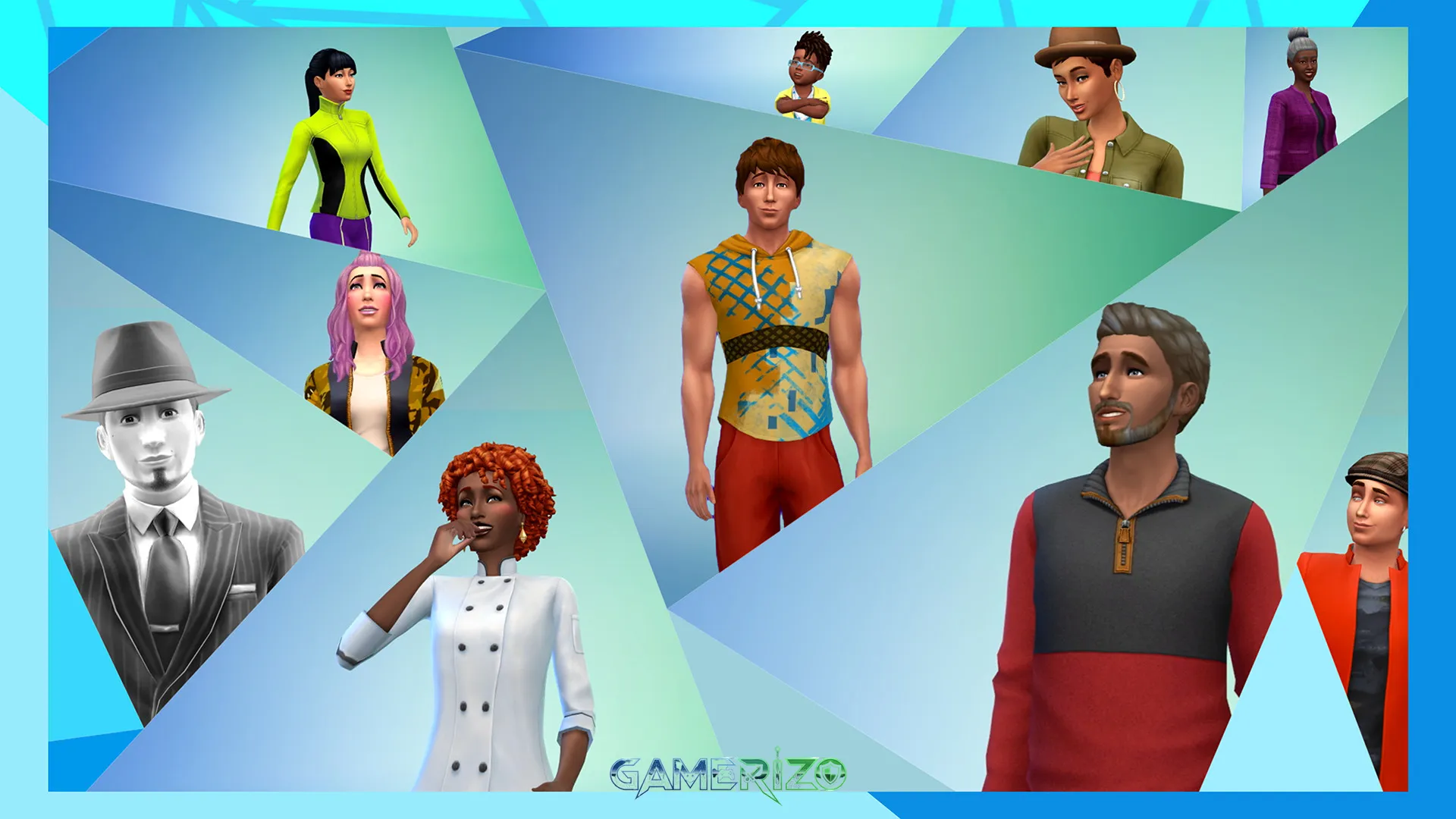
The Sims 4 PC revolutionized character creation with its intuitive Create-A-Sim system. Instead of wrestling with complex sliders, players directly manipulate their Sim’s features by clicking and dragging facial elements, body proportions, and physical characteristics. This tactile approach makes creating unique, diverse characters remarkably simple yet incredibly detailed.
Players can customize everything from broad strokes like body type and facial structure down to minute details like eyebrow thickness, nose bridge width, and even how your Sim walks. The wardrobe system offers thousands of clothing combinations, and with custom content available through the modding community, the possibilities become virtually limitless.
Build Mode: Architectural Freedom
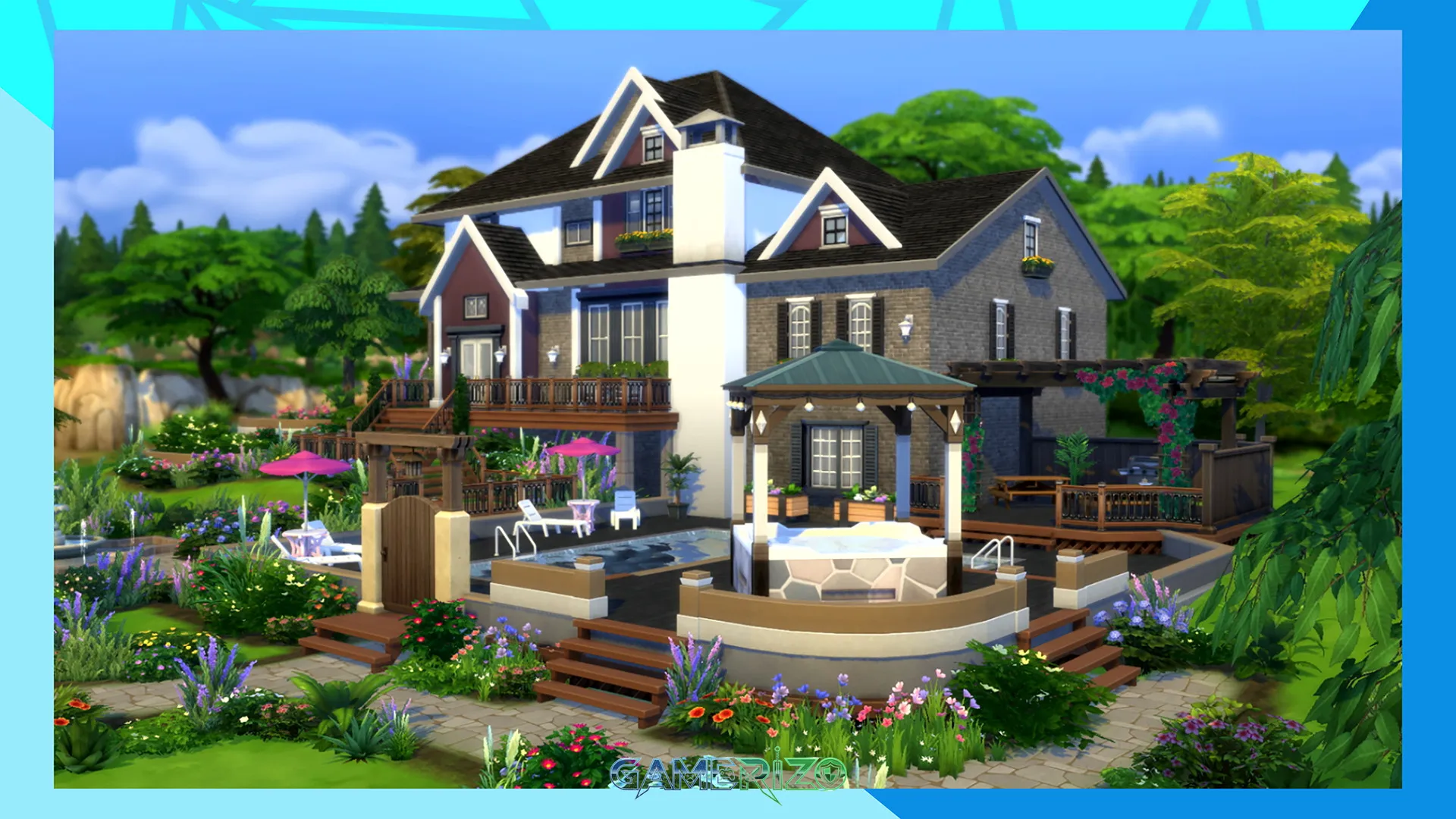
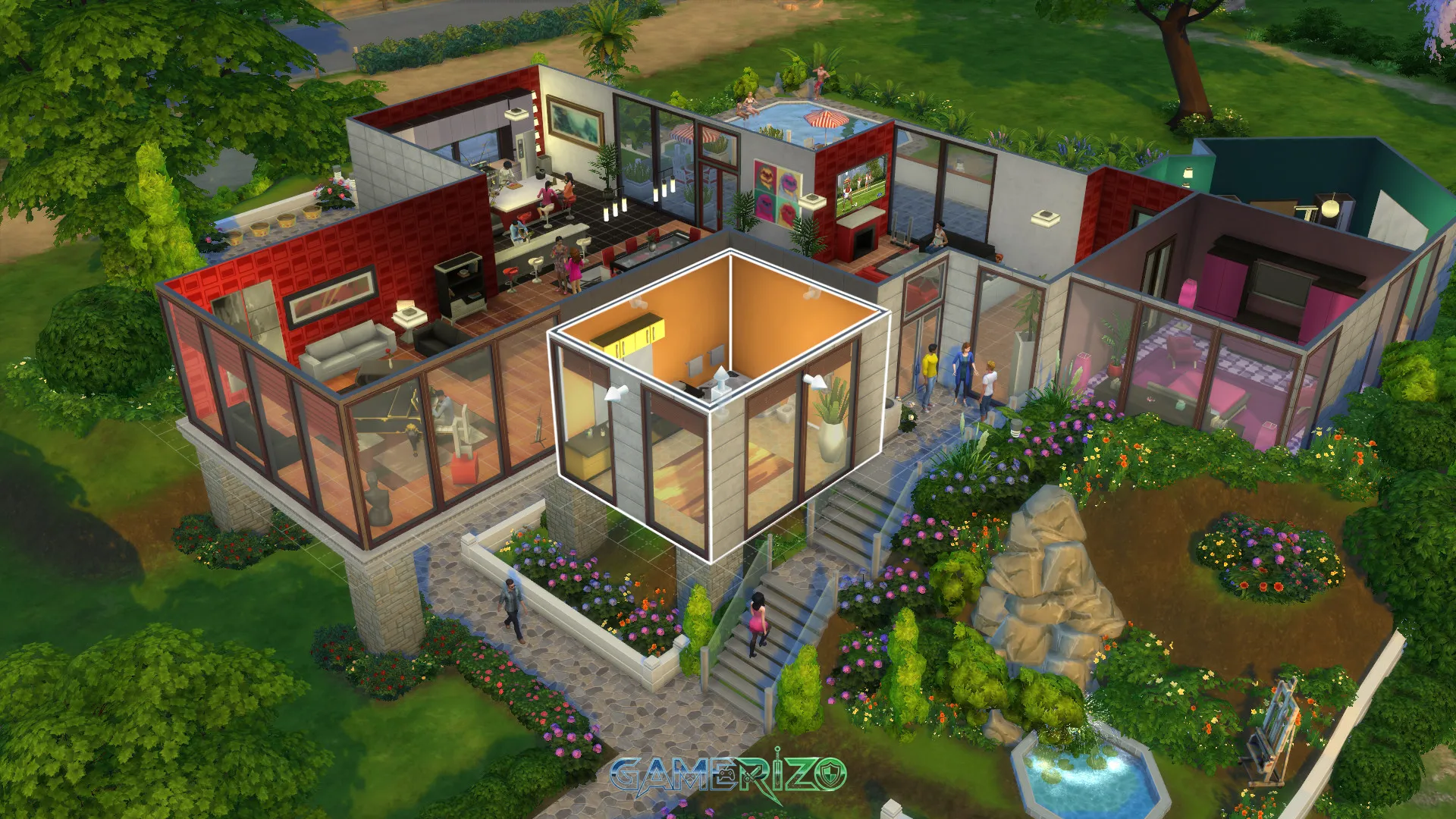
Build Mode in The Sims 4 PC represents a quantum leap forward in construction tools. The room-based building system allows players to pick up and move entire rooms, dramatically streamlining the home design process. Whether you’re constructing a cozy starter home or an elaborate mansion, the intuitive interface makes architectural dreams achievable.
Advanced builders appreciate the detailed terrain tools, foundation options, and extensive catalog of furniture and decorative items. The PC version particularly shines here, with precise mouse control enabling intricate designs that would be challenging on other platforms. Players can adjust wall heights, create split-level homes, and utilize sophisticated landscaping tools to craft stunning properties.
Live Mode: Daily Sim Life
Live Mode brings your creations to life as you guide Sims through daily activities, career advancement, relationship building, and personal growth. The multitasking system allows Sims to perform multiple actions simultaneously, creating more realistic and efficient gameplay. Your Sims can chat while eating, watch TV while working out, or read while relaxing in a bubble bath.
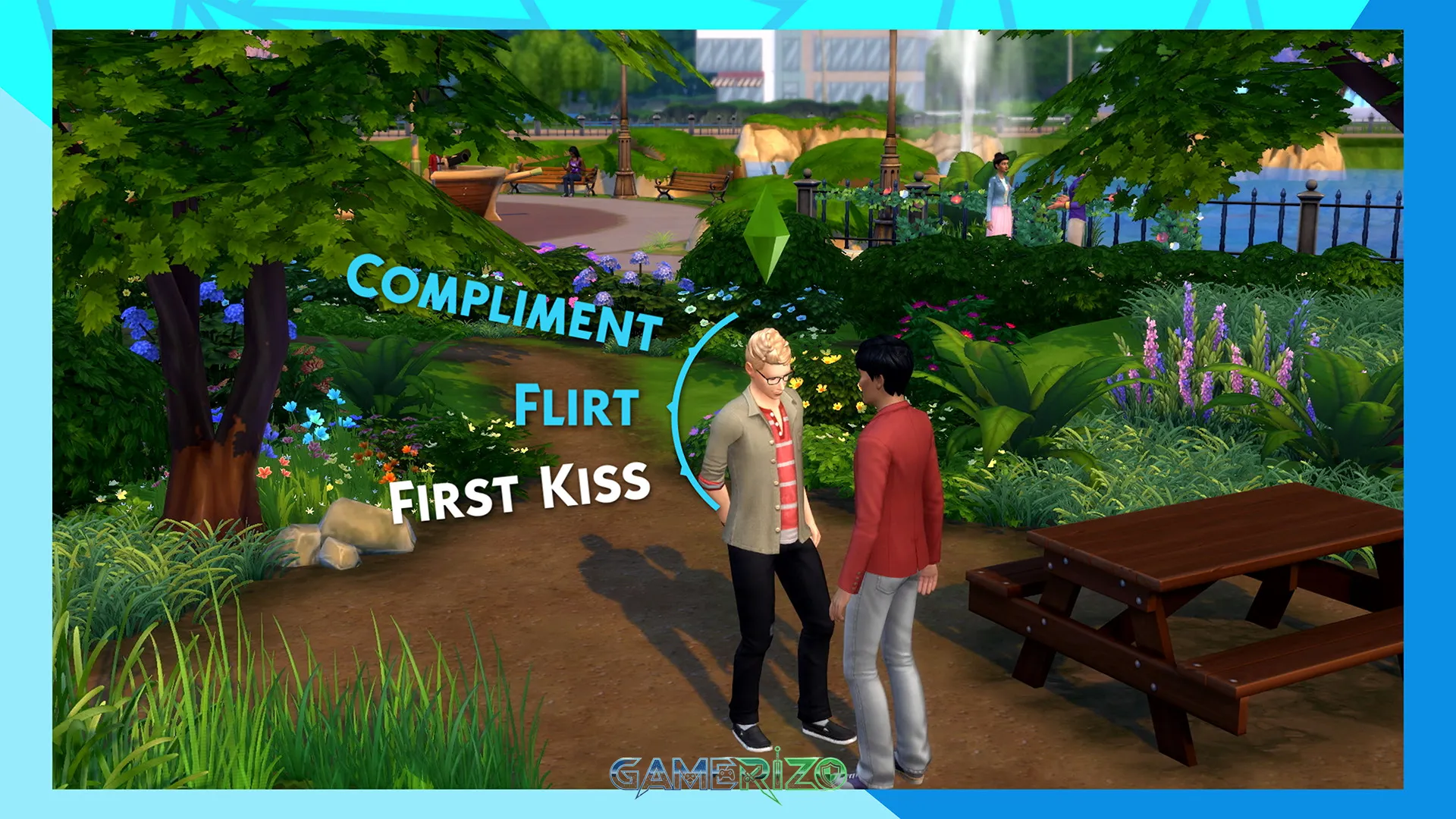
The emotional system adds psychological depth, with Sims experiencing distinct moods that influence their interactions and available actions. A confident Sim might excel at job interviews, while a flirty Sim becomes more successful in romantic pursuits. Managing these emotions becomes a strategic element that enhances gameplay complexity.
Story: Write Your Own Narrative
The Sims 4 PC doesn’t impose a traditional story structure. Instead, it provides a narrative sandbox where players craft their own tales through gameplay choices. You might create a rags-to-riches story following a struggling artist who becomes a celebrity painter, or chronicle multiple generations of a family dynasty, watching them grow, succeed, and face challenges.
Expansion packs introduce themed scenarios that enrich storytelling possibilities. Get to Work lets you follow Sims to their jobs as doctors, detectives, or scientists. Seasons adds weather cycles that affect daily life and celebrations. Island Living transports Sims to a tropical paradise with mermaids and beach culture. Each addition provides new narrative threads to weave into your unique stories.
The game’s emergent storytelling shines through unexpected moments—a chance encounter at the park that blossoms into romance, a disastrous dinner party that creates family drama, or a career setback that forces your Sim to reinvent themselves. These organic narrative moments, combined with deliberate player choices, create deeply personal stories that keep players engaged for hundreds of hours.
Key Features That Define The Sims 4 PC Experience
Gallery Integration
The in-game Gallery serves as a global repository where players share their creations. Download houses, Sims, and entire families created by the community, or upload your own masterpieces. This feature transforms The Sims 4 PC into a collaborative creative platform where millions of players contribute content.
Expansion and Content Packs
| Pack Type | Content Scope | Notable Examples |
|---|---|---|
| Expansion Packs | Major gameplay additions with new worlds, careers, and systems | Get to Work, Seasons, City Living, Cottage Living |
| Game Packs | Focused themed content with specific gameplay mechanics | Dine Out, Spa Day, Realm of Magic, StrangerVille |
| Stuff Packs | Cosmetic items, furniture sets, and clothing collections | Tiny Living, Nifty Knitting, Movie Hangout |
| Kits | Small themed asset bundles | Throwback Fit, Country Kitchen, Blooming Rooms |
Modding Community Support
The Sims 4 PC boasts one of gaming’s most active modding communities. Custom content creators develop everything from realistic hairstyles and clothing to complete gameplay overhauls. Mods like MC Command Center provide advanced game management tools, while others add realistic career paths, deeper relationship systems, or quality-of-life improvements that enhance the base experience.
Aspiration and Trait System
Sims pursue aspirations—long-term goals spanning various life aspects like creativity, family, fortune, or knowledge. Completing aspiration milestones earns reward points that unlock powerful trait rewards. The trait system defines personality, with each Sim having three core traits that influence their behaviors, preferences, and interactions.
Career Diversity
Players choose from numerous career paths including traditional options like Business, Tech Guru, and Writer, plus creative fields like Musician, Painter, and Social Media Influencer. Some careers allow active gameplay where you control your Sim at work, while others use the traditional rabbit-hole system where Sims leave and return.
Pros & Cons Analysis
Advantages
- Creative Freedom: The Sims 4 PC offers unmatched creative tools that empower players to build anything they imagine. The intuitive interfaces lower the barrier to entry while maintaining professional-grade capabilities.
- Endless Replayability: Every new game tells a different story. Combined with regular content updates and community creations, players never run out of fresh experiences.
- Superior PC Performance: Compared to console versions, The Sims 4 PC delivers better graphics, faster performance, and crucial mod support that enhances gameplay exponentially.
- Active Community: A passionate global community creates content, shares stories, and provides support, making The Sims 4 PC a social experience beyond the game itself.
- Regular Updates: Electronic Arts maintains consistent update schedules, adding free content alongside paid expansions, keeping the game relevant years after launch.
Disadvantages
- DLC Costs: The complete Sims 4 experience requires significant investment across numerous expansion packs, which can become expensive over time.
- Base Game Limitations: Without expansions, the base game can feel limited compared to previous Sims titles, lacking features like weather, pets, and toddlers that launched with earlier games.
- Performance Issues: Despite optimization efforts, heavily modded games or large households can experience slowdowns, especially on mid-range systems.
- Repetitive Gameplay: After extended play sessions, some players experience repetition as Sims follow similar daily routines unless actively directed toward new activities.
Final Verdict: Is The Sims 4 PC Worth Playing?
The Sims 4 PC earns its reputation as the definitive life simulation experience. It combines accessible gameplay with remarkable depth, creating a creative playground that appeals to casual players and dedicated simulation enthusiasts alike. The PC platform specifically elevates the experience through superior performance, modding capabilities, and precise controls that make building and managing Sims more enjoyable.
For newcomers to the franchise, The Sims 4 PC provides the perfect entry point. The intuitive systems reduce learning curves while offering enough complexity to sustain long-term engagement. Veteran players appreciate the refined mechanics and expanded possibilities that surpass previous installments, even if nostalgia sometimes clouds comparisons.
The investment required for expansion content remains a consideration. However, the base game alone provides dozens of hours of entertainment, and players can strategically purchase expansions during sales based on their interests. The modding community fills many gaps, offering free content that rivals official additions in quality and scope.
Ultimately, The Sims 4 PC succeeds because it understands that life simulation games thrive on player agency and creativity. It provides robust tools without overwhelming complexity, maintains active development that respects community feedback, and fosters a creative environment where millions of players craft and share their unique visions. Whether you’re building architectural marvels, creating dramatic family sagas, or simply enjoying the meditative quality of virtual life management, The Sims 4 PC delivers an experience that justifies its enduring popularity.
| Category | Rating |
|---|---|
| Gameplay | 9/10 |
| Graphics | 8/10 |
| Customization | 10/10 |
| Content Value | 7/10 |
| Replayability | 10/10 |
| Overall Score | 8.8/10 |
Frequently Asked Questions About The Sims 4 PC
Is The Sims 4 PC free to play?
Yes, the base game of The Sims 4 PC is completely free to play since October 2022. Players can download it through EA App or Steam at no cost, though expansion packs and additional content require separate purchases. This makes it accessible for anyone wanting to experience life simulation gaming.
Can you play The Sims 4 PC offline?
The Sims 4 PC can be played offline after initial authentication. Players must launch the game online once to verify ownership, then can switch to offline mode in the EA App settings. However, Gallery features and online content sharing require an internet connection to function properly.
What makes The Sims 4 PC better than console versions?
The Sims 4 PC offers superior mouse and keyboard controls for building and Create-A-Sim, better graphics options, faster loading times, and crucial mod support. The modding community creates thousands of custom content pieces and gameplay enhancements exclusively available on PC, significantly expanding the game beyond its base capabilities.
How many expansion packs does The Sims 4 PC have?
As of 2024, The Sims 4 has released over a dozen expansion packs, numerous game packs, stuff packs, and kits. Electronic Arts regularly announces new content, with each expansion adding substantial gameplay features, new worlds, and themed content that significantly expands what players can do within the game.
Images

⚙️ The Sims 4 System Requirements
Minimum Requirements
- Requires a 64-bit processor and operating system
- OS: 64 Bit Required. Windows 10
- Processor: 3.3 GHz Intel Core i3-3220 (2 cores, 4 threads), AMD Ryzen 3 1200 3.1 GHz (4 cores) or better
- Memory: 4 GB RAM
- Graphics: 128 MB of Video RAM and support for Pixel Shader 3.0. Supported Video Cards: NVIDIA GeForce 6600 or better, ATI Radeon X1300 or better, Intel GMA X4500 or better
- DirectX: Version 11
- Network: Broadband Internet connection
- Storage: 26 GB available space
Recommended Requirements
- Requires a 64-bit processor and operating system
- OS: 64 Bit Windows 10
- Processor: Intel core i5 (4 cores), AMD Ryzen 5 or better
- Memory: 8 GB RAM
- Graphics: 1 GB of Video RAM, NVIDIA GTX 650, AMD Radeon HD 7750, or better
- DirectX: Version 11
- Network: Broadband Internet connection
- Storage: 51 GB available space
⬇️ How to Download and Install The Sims 4?
STEP 1: Click the download button below. Wait for about 5 seconds until the download link becomes visible, then click on it to start the download.
STEP 2: Once the file finishes downloading, locate the .zip or .rar file on your PC.
STEP 3: Right-click the .zip file and select ‘Extract to The Sims 4’. (If you don’t have an extractor, install 7-Zip — it’s free and lightweight.)
STEP 4: After extraction, open the newly created folder.
STEP 5: Run the game’s executable file as Administrator for best performance and compatibility.
STEP 6: If you encounter any missing DLL or runtime errors, open the Redist or _CommonRedist folder inside the game directory and install the required components.
Enjoy the game! 🎮
Latest Games
-
 Call of Duty: Vanguardv1.26 Sledgehammer Games
 -
Assassin’s Creed Miragev1.06 Ubisoft Bordeaux
-
F1 251.0 Codemasters
-
FIFA 22Build 10461903 EA Sports
-
Escape From Duckovv1.3.13 Team Soda
-
Schedule Iv0.4.1f13 TVGS
-
Tainted Grail: The Fall of Avalonv1.15.0 Questline
-
Borderlands 4v1.0 Gearbox Software
-
Hollow Knight: Silksongv1.0.29242 Team Cherry
-
Valheimv0.221.4 Iron Gate AB
-


Facebook comments